
LumaFusion: Pro Video Editing
LumaFusion: Pro Video Editing is a professional mobile editing tool that helps creators cut, color grade, mix audio, and manage multi-track projects anywhere without desktop software tools.
screenshot
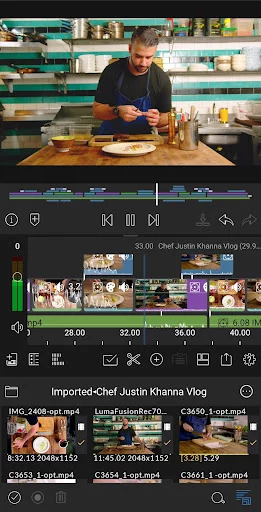
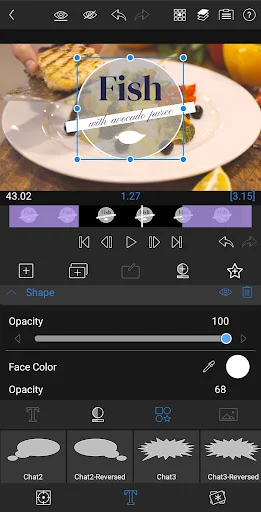
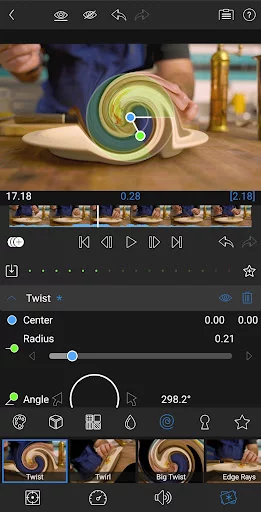
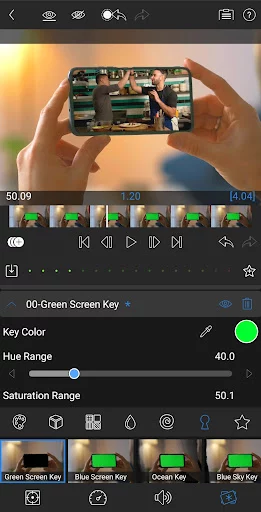
Information of LumaFusion: Pro Video Editing


Information About LumaFusion: Pro Video Editing APK
LumaFusion: Pro Video Editing is a mobile-first video editing app built for creators who need powerful tools without relying on desktop software. Whether you’re a journalist, YouTuber, or small business owner making promo content, this app gives you the freedom to cut, mix, and publish high-quality videos right from your phone or tablet. It’s designed for those who want serious editing power with flexibility and portability.
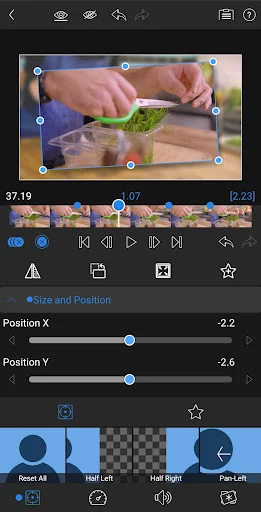
The app works by letting users build and manage multi-track video projects with up to six video and six audio layers. You can trim, rearrange, and align clips using its magnetic timeline, while also adding effects, transitions, and audio design. Its touch interface makes detailed editing feel smooth and intuitive, and the layout adapts well whether you’re using a compact phone or a larger screen setup with Dex Mode.
Color correction and effects tools are where it really shines. You get detailed control over brightness, contrast, saturation, and more. There’s support for LUTs, chroma keying for green screen work, and advanced animation using unlimited keyframes. Animations are smoother with Bézier curve controls and adjustable keyframe movement, helping you fine-tune every motion or title transition.
Audio editing is just as solid. LumaFusion includes graphic and parametric EQs, stereo and dual-mono audio support, and auto ducking so dialogue stays clear even with music in the background. You can also record voiceovers directly into the timeline, which saves time when producing content that needs quick narration or commentary.
For creators working on multiple devices or projects, there’s built-in support for cloud storage and USB-C drives. You can import clips from your storage of choice, edit directly without transferring to internal memory, and export to different formats and platforms with full control over resolution and bitrate. It even supports frame rates ranging from 18fps up to 240fps for a wide range of use cases—from cinematic cuts to fast-paced social media content.
Title creation and motion graphics are also a major strength. You can design multilayer titles using text, images, and shapes, import your own fonts, and save presets for future use. This helps teams or solo editors maintain brand consistency while speeding up their workflow.
If you’re looking for a complete video editing tool that doesn’t tie you to a desktop, download the official version of LumaFusion: Pro Video Editing right now—just search for it directly at APKJaka in the middle of your next project planning session.
Frequently Asked Questions LumaFusion: Pro Video Editing
-
What is LumaFusion: Pro Video Editing?
LumaFusion: Pro Video Editing is a professional mobile video editor designed for creators who want full control over video, audio, and effects—no computer needed. -
What is LumaFusion: Pro Video Editing APK?
LumaFusion: Pro Video Editing APK is the installable Android file that lets you access all the editing features directly on your device without going through a desktop setup. -
Can I edit 4K video in LumaFusion?
Yes, the app supports 4K video editing with multiple tracks, external storage access, and smooth playback even on high-resolution projects. -
Does it support green screen or chroma key effects?
Definitely. LumaFusion includes chroma, luma, and green screen tools so you can blend backgrounds or create visual effects directly in your timeline. -
Is LumaFusion good for beginners?
While it’s packed with pro features, the interface is touch-friendly and easy to learn. It may take a bit of practice, but tutorials are available if you need help.