Xbox Cloud Gaming
Xbox Cloud Gaming is a cloud-based play service that streams full Xbox titles to different screens, helping users avoid storage limits, hardware upgrades, and long downloads while keeping progress synced.
screenshot
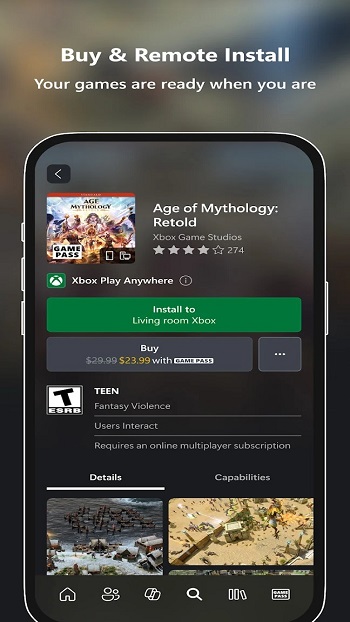
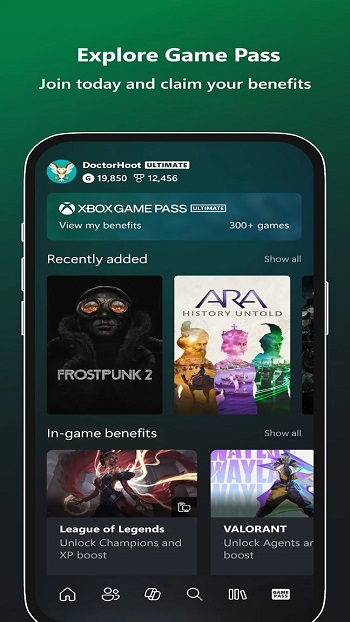
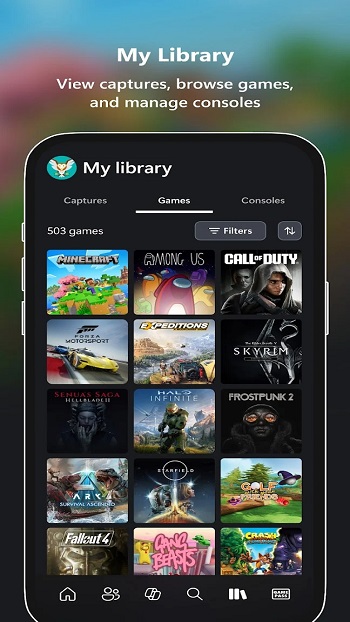
Information of Xbox Cloud Gaming


Introduction to Xbox Cloud Gaming APK
Xbox Cloud Gaming APK is the installation file used to access Microsoft’s cloud-based gaming service on supported devices. It acts as the entry point that connects your screen to remote hardware, letting you stream console-level titles without downloading huge files. Xbox Cloud Gaming works by running games on powerful servers and sending the gameplay feed straight to your device, creating a setup where the cloud does the heavy lifting. In this article, you’ll get a full breakdown of how the service helps players, what it can and can’t do, and why so many users treat it as a practical alternative to traditional gaming.
The app focuses on solving issues that have annoyed players for years: storage limits, constant updates, and expensive hardware cycles. Instead of loading long files or waiting for patches, users can jump into supported games instantly. Microsoft developed this ecosystem to let players stay connected across phones, tablets, browsers, and Xbox consoles, keeping progress synced regardless of where they log in. The next sections will walk you through its performance, features, and everyday value for different types of players.
Core Functions and User Benefits
One of the biggest advantages of the platform is how it moves the technical workload from your device to remote hardware. Players no longer need top-tier phones to run demanding titles; instead, cloud servers render everything and deliver a playable stream. This instantly cuts down waiting time, storage pressure, and the frustration of juggling installs.
Its design also supports everyday habits. People with limited space on their phone can still try large Xbox titles. Travelers can keep progressing through story missions during commutes. Students using budget devices can hop back into their games without worrying about slow performance. Because everything runs online, you also skip local updates entirely—games on the server are always on the latest version.
How Cloud Streaming Shapes Gameplay
Cloud streaming works by rendering the game remotely, then sending video frames to your device while receiving your buttons or taps in real time. It’s similar to watching live footage that reacts to your commands. Since the server handles the heavy processing, your phone or tablet only needs a steady connection.
Some players worry about input delays, so it's important to acknowledge that network quality directly affects responsiveness. Fast Wi-Fi or a reliable data plan usually keeps gameplay smooth. Latency may be noticeable when the network fluctuates, especially in fast-paced games, but users can improve stability by switching to a 5 GHz Wi-Fi band, keeping the device cool, or closing background Xbox Cloud Gaming. These small habits often result in cleaner and more consistent sessions.
Essential Features Users Should Know
Game Library and Access
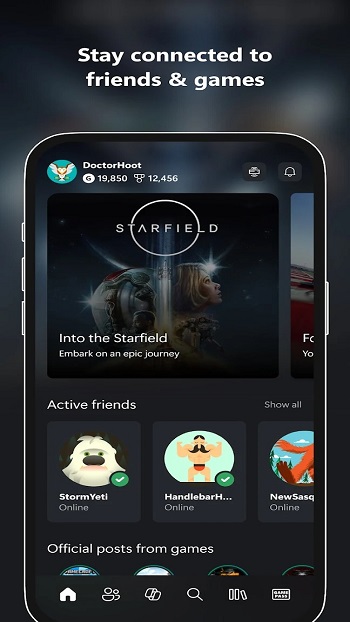
The platform connects users to a large catalog that updates regularly. With Game Pass integration, titles rotate in and out, giving players a mix of indie games, big releases, and ongoing franchises. Every title runs on cloud hardware, so players can test different games without uninstalling Xbox Cloud Gaming to free space. Switching between games also takes seconds because everything loads from the server already prepared.
Controls and Device Support
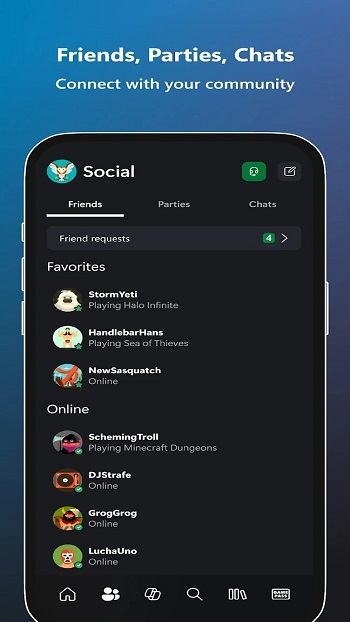
The service supports Bluetooth controllers, including Xbox pads, PlayStation pads, and several third-party options. Many titles also include touch layouts so players can use on-screen buttons if they don’t have a controller with them. The same account works across multiple screens, making it easy to start on a phone, pause, and continue on a laptop or console later.
Save Sync and Account Features
Cloud saves make progression painless. Instead of relying on a single device, your progress follows your account. Someone could start a campaign on their tablet while traveling and continue at home on a console without losing a single checkpoint. This design feels especially useful for users who switch devices during the day, like students or people working in shared spaces.
Who Benefits Most from Xbox Cloud Gaming
The service fits a variety of lifestyles. Casual players who don’t want to buy a console can still try supported titles. Travelers who spend time in airports, buses, or shared spaces appreciate having their games accessible wherever they are. People with older devices benefit the most because the system does not rely on strong phone hardware to run games smoothly. Even newcomers to the Xbox ecosystem can test games without investing in equipment.
It also supports people who prefer gaming in smaller sessions. Since everything loads instantly, someone with a busy schedule—like a student or a shift worker—can squeeze in short sessions throughout the day. Users with low storage or limited data plans appreciate that games do not need installation space.
Practical Considerations Before Using It
Before trying the service, players should consider network expectations. Stable Wi-Fi creates the best results, while weaker connections may cause delays. Checking device compatibility and pairing a controller also helps create a better experience. Although cloud gaming removes many barriers, users should be aware that connection-heavy gameplay may not be ideal in areas with unstable signals. Microsoft’s public guidelines also recommend strong bandwidth for consistent performance.
Conclusion
Xbox Cloud Gaming makes high-quality gaming accessible without requiring powerful hardware, long installs, or constant updates. Its cloud saves, cross-device access, and flexible playstyle support the way modern players move through their day. If you’re ready to try this cloud-based service, you can download the official and safe Xbox Cloud Gaming APK file from APKJaka to get started.
Frequently Asked Questions Xbox Cloud Gaming
-
What Is Xbox Cloud Gaming APK?
Xbox Cloud Gaming APK is the installation file that lets Android users access Microsoft’s cloud streaming service and play supported Xbox titles without downloading full game files. -
Does Xbox Cloud Gaming Work on All Android Phones?
Most modern Android devices can run it as long as they meet basic OS requirements and have a stable internet connection. Older phones may work too since the gameplay runs on cloud servers, not your hardware. -
Do I Need an Xbox Console to Use It?
No, you can stream games straight to your Android device using your Microsoft account. A subscription like Game Pass Ultimate is usually needed for full library access. -
What Internet Speed Is Needed for Smooth Play?
A fast and steady connection—preferably 5 GHz Wi-Fi or reliable mobile data—helps reduce lag and keeps gameplay responsive. Cloud streaming depends heavily on signal stability. -
Can I Use a Controller with Xbox Cloud Gaming?
Yes, Bluetooth controllers such as Xbox or PlayStation pads work well, and many games also support touch controls if you don’t have a controller nearby.